Schritte:
- Melden Sie sich als Administrator an.
- Öffnen Sie die Windows Registry und navigieren in das folgende Verzeichnis:
HKEY_LOCAL_MACHINE\SOFTWARE\Wow6432Node\Adobe\Adobe ARM\Legacy\Reader\{Produkt Code}
- Ändern Sie den Wert des Schlüssels (DWORD) Mode ab in:
Wert Beschreibung 0 Do not download or install updates automatically. 1 Do not download or install updates automatically. 2 Automatically download updates but let the user choose when to install them. 3 Automatically download and install updates.
HINWEIS: Ist der DEFAULT Wert4 Notify the user downloads are available but do not download them. 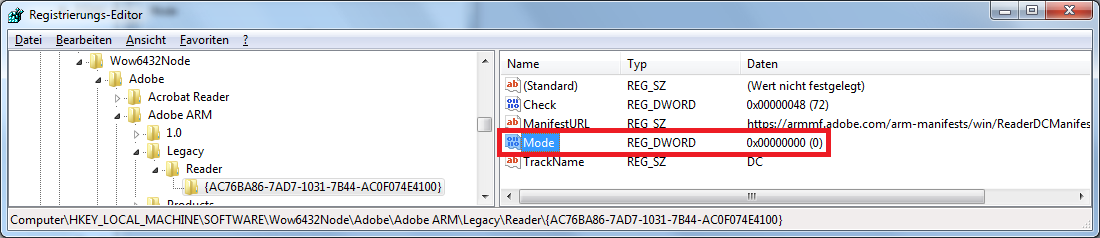
Bild zur Vergrößerung anklicken … - Klicken Sie auf OK und schließen die Registry.
- Starten sie den Rechner neu.
Wenn Sie die oben genannten Schritte durchgeführt haben, wurde die Auto Update Funktion deaktiviert.